The six indicators in BULKHEAD's official legend
Match the icon on your screen to a row. Each glyph is cropped from the complete 1280×720 image attached to the 22 September post, and the labels are transcribed from it. The final column stays deliberately narrow: the studio names the detected condition but publishes no trigger value, sampling window or severity scale.
| Official label | What the glyph shows | What the label establishes | Still not published |
|---|---|---|---|
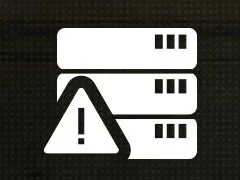 Server Performance | A stack of three server units with a warning triangle over the lower left | The detected issue is associated with server performance | Which server metric or threshold triggers it |
 Packet Loss | Two overlapping document shapes, one outlined, with three short marks on the right edge | The detected issue is packet loss | The loss percentage and sampling window |
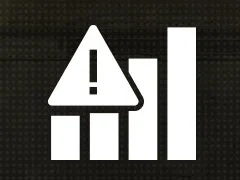 High Ping | Four rising signal bars with a warning triangle over the left | The detected issue is high ping | The latency threshold and measurement endpoint |
 Connection Stalled | A chain with its two links broken apart in the middle | The connection has stalled | How long without traffic triggers the warning |
 Ping Instability | Four rising signal bars with a large X over the left | The ping is unstable | The variation or jitter threshold |
 Saturated Bandwidth | A half-circle gauge with its needle pushed far to the right | Available bandwidth is saturated | The direction, throughput or utilisation threshold |
A status indicator is not an error code
BULKHEAD calls these HUD icons and says they indicate that a network-performance issue has been detected. An error code is a string the game hands you when something has already failed, usually with a dialog and a button. These icons are the running game's network warning layer: the official legend gives them names, not numbers.
The error-code index, for the ones with numbers →
| A network symbol | An error code | |
|---|---|---|
| Where it appears | On the HUD; players report the top-right corner | A dialog, or the launcher, usually stopping you |
| Does it have a number | No number appears in the official legend | Yes, for the numbered error families |
| What the publisher says | A network-performance issue was detected | Varies by error; most have no published cause |
| Where to go | This page, then the connection guide | The error-code index |
Why older reports named only three
Before the official legend, five dated Steam threads between 16 and 20 September were the only public record located. Players repeatedly named Server Performance, High Ping and Packet Loss because those were the warnings they saw; that was evidence of three observed labels, not a complete inventory. BULKHEAD's six-icon image now supplies the inventory and adds Connection Stalled, Ping Instability and Saturated Bandwidth. The older reports remain useful for the reported top-right position and for showing the warnings in use, but no longer set the count.
Colours and thresholds are still unpublished
A thread of 18 September says the icons appeared yellow or orange, and a thread of 20 September describes a red Packet Loss icon. BULKHEAD's new legend is monochrome and names no colour. That means the community reports no longer have to supply the icon names, but they still do not establish whether yellow, orange and red are formal severity steps or what value moves an icon between them.
- Yellow and orange — reported in a Steam thread on 18 September 2026.
- Red Packet Loss — reported in a separate thread on 20 September 2026.
- No numeric threshold, colour scale or severity order appears in the official post or graphic.
They are network warnings, not a frame-rate readout
The official post now settles the category: it says these icons appear when a network-performance issue is detected. A 20 September player report had already pointed the same way by describing the icons while frame rate stayed between 80 and 100. Graphics settings may change FPS, but no source says they clear any of these six network conditions.
Settings and performance, for the things that do move frame rate →
What to do when one is lit
Read the label first: it distinguishes a server-performance warning from Packet Loss, High Ping, a stalled connection, unstable ping or saturated bandwidth. That is as far as BULKHEAD's post goes. It publishes no remedy and does not say whether a particular warning originates on your machine, your route, the host or the game service. If it persists across matches and servers, the connection guide covers the checks and failures that do have dated evidence behind them.
Where they sit: beside the compass
Players describe the same icons two ways, and both point at one spot. The earliest reports say the top right of the screen; a 21 September thread, opened the day before BULKHEAD's legend, places them “to the right of the compass” and calls them yellow. That thread's opener first guessed they were spotting warnings. Replies the same day read them as connection warnings, and the official legend a day later settled it: they are network-status icons. If something appears beside your compass while the game stutters, match it against the six rows above.
When they light up: big fights, distant servers, busy connections
BULKHEAD has not said what triggers any icon. What exists is a handful of dated player accounts, and they cluster around three situations. Each row is one person's report, not a measurement, and none of them says which of the six icons it saw.
| Situation | What the player reported | Date |
|---|---|---|
| A crowded fight | Notices the symbol “specially when 30 people in hot zone” | 20 Sep 2026 |
| Heavy fighting | Icons “pop up when fighting is intense, loads of mortars, little birds and large gun battles” | 21 Sep 2026 |
| A distant server | Sees them often when playing on NA servers from the UK | 21 Sep 2026 |
| Flying | Seen while flying, as “the game hangs for a split second” | 21 Sep 2026 |
| A busy home connection | Had them “going off a lot while Steam was downloading something else” | 21 Sep 2026 |
Is it your connection or the server?
Only one label names a place. Server Performance points at the server, so nothing you change at home will clear it. The other five name a condition, not a location: high ping, packet loss, stalls, unstable ping and saturated bandwidth can all start on your machine, your line, the route or the host. BULKHEAD publishes no remedy, so the right-hand column is ordinary networking practice, not studio guidance. It helps you tell your end from theirs; it fixes nothing on the server.
The server browser's REGION list and the 150-ping guidance →
| Icon | Whose end the label points to | A check you can run once |
|---|---|---|
| Server Performance | The server | Join a different server; your router and settings cannot reach it |
| High Ping | Usually distance to the server | Pick a server in your own region from the browser's REGION list |
| Saturated Bandwidth | Either end | Pause downloads, streams and updates on your network, then play a match |
| Packet Loss | Either end | Play one match on a wired connection instead of Wi-Fi |
| Ping Instability | Either end | Same wired test; if it stops, the cause was on your side |
| Connection Stalled | Either end | If it does not clear, expect a disconnect; the error pages cover what follows |
Yellow, orange or red: which icon is it?
Players search by colour — “the yellow icon”, “the warning symbols” — but colour does not identify the icon. Shape does. Find the shape you saw in the left column; the label is BULKHEAD's, from the 22 September legend, and the right-hand column repeats where that label points, from the section above.
- Yellow or orange: one 18 September report says all three icons it saw were “pinging yellow or orange”, and a 21 September thread calls them yellow indicators beside the compass. Which of the six can show in which colour is not published.
- Red: one 20 September report describes a red Packet Loss icon. Whether red means worse than yellow is not published.
- BULKHEAD's own legend is monochrome and defines no colours, so this table matches on shape only.
| The shape you saw | Official label | What it means | Whose end |
|---|---|---|---|
| Server stack with a warning triangle | Server Performance | The server is struggling | The server |
| Signal bars with a warning triangle | High Ping | Your round trip to the server is high | Usually distance to the server |
| Signal bars with an X | Ping Instability | Your ping is jumping around | Either end |
| Two overlapping page shapes with marks on the edge | Packet Loss | Data between you and the server is going missing | Either end |
| A chain broken in the middle | Connection Stalled | Traffic has stopped for a moment | Either end |
| A gauge with its needle far right | Saturated Bandwidth | The connection is full | Either end |
Season 02: sustained high ping now gets you kicked
Season 02, live since 15 October, added region-based ping limits to official servers. BULKHEAD's patch notes say players who “consistently exceed a server's ping limit over a sustained period will be automatically kicked”, that server-side lag spikes are excluded from the measurement, and that a player kicked for high ping cannot rejoin the same server until the next map transition. The studio calls the first values “quite lenient” and publishes no number. The server browser gained maximum-ping tags and filters, and community server admins set their own limits. The patch notes do not mention the High Ping icon, so nothing official says the icon is a warning before a kick — but if it stays lit all match, a closer server is now worth more than it was.
The Season 02 patch notes, ping limits included →
- Kicked for high ping: the same server will not take you back until the map changes. Pick a server in your region instead of waiting.
- Community servers can set their own limit, stricter or looser, so the official servers' rule is not the only one.
Common questions
What are the WARDOGS error symbols?
They are network-status indicators, not error codes. BULKHEAD's official 22 September legend names six: Server Performance, Packet Loss, High Ping, Connection Stalled, Ping Instability and Saturated Bandwidth. The studio says an icon means a network-performance issue was detected. If what you have is a numbered string in a dialog, that is an error code and the error index covers it.
Is a WARDOGS network symbol an error code?
No. BULKHEAD calls these HUD icons and says they indicate a detected network-performance issue. The official legend carries labels rather than error numbers. If you are looking at a numbered code or named failure in a dialog, the error index is the page for it.
What does the red packet loss icon in WARDOGS mean?
BULKHEAD's legend confirms the Packet Loss label, but it is monochrome and publishes no colour scale or loss threshold. A 20 September player report describes an “extremely laggy” session with a red Packet Loss icon, but does not establish whether red is a formal severity step or what value triggers it.
Do the WARDOGS network icons mean my PC or my internet is the problem?
Not by themselves. BULKHEAD says the icons identify a detected network-performance issue, but does not say whether a particular warning originates on your PC, your route, the host or the game service. The exact label narrows the condition; it does not assign responsibility.
Has BULKHEAD explained the WARDOGS HUD network icons?
Yes, on 22 September 2026. The official WARDOGS Updates account published a six-icon legend and said the icons indicate a detected network-performance issue. It did not publish numeric thresholds, a colour scale or troubleshooting steps.
Why do the WARDOGS network icons appear during big fights?
BULKHEAD has not said. Dated player reports from 20 and 21 September notice them most in crowded, heavy fighting — “30 people in hot zone”, mortars, helicopters and large gun battles — and while flying. That fits a server under load, which is what the Server Performance icon names, but no official text confirms the cause or a threshold.
Is a WARDOGS network icon my connection or the server?
Server Performance points at the server, so nothing on your PC will clear it; join another server. The other five — High Ping, Packet Loss, Ping Instability, Connection Stalled and Saturated Bandwidth — can start at either end. A one-time check helps tell which: pick a server in your own region, pause downloads on your network and play a match wired. If the icons stop, the cause was on your side. This is general networking advice; BULKHEAD publishes no remedy.
Where are the network icons on the WARDOGS HUD?
Players report them at the top right of the screen, beside the compass — a 21 September thread places them “to the right of the compass”. BULKHEAD's 22 September legend shows the six glyphs but not their screen position.
What is the icon next to a player's name in WARDOGS?
It is not one of the six network symbols — those describe a connection problem, not a player. Two other things can mark a name. BULKHEAD's Supporter Pack listing includes a “Supporter Icon on scoreboard (can be hidden in settings)”, so a mark beside a name on the scoreboard can mean that player bought the pack. BULKHEAD has not published what the icon looks like, so this page cannot confirm that a given gold “S” or badge is that icon. Separately, community guides report that members of your own squad are shown with gold markers. If you own the pack and want your icon off the scoreboard, the listing says it can be hidden in settings but does not name the menu.
What does the yellow icon in WARDOGS mean?
A yellow icon near the compass at the top right is one of BULKHEAD's six network-status warnings, not an error code. Players report them in yellow or orange; the colour does not say which one it is, so match the shape: a server stack is Server Performance, signal bars with a triangle are High Ping, signal bars with an X are Ping Instability, overlapping pages are Packet Loss, a broken chain is Connection Stalled and a gauge is Saturated Bandwidth.
What do the WARDOGS warning symbols mean?
Each one names a network problem the game has detected: Server Performance, High Ping, Ping Instability, Packet Loss, Connection Stalled or Saturated Bandwidth. Server Performance is the server's end; the other five can start on your side or the server's. BULKHEAD publishes no thresholds for any of them.
Can high ping get you kicked in WARDOGS?
Yes, on official servers since Season 02. The 14 October patch notes say players who consistently exceed a server's ping limit over a sustained period are kicked automatically and cannot rejoin that server until the next map. The limits vary by region, are described as lenient for now, and are not published as numbers.
Sources & verification
BULKHEAD's official updates account published the six-icon legend at 10:25:36 UTC on 22 September. The attached 1280×720 image is the receipt for the names and glyphs. The post says the icons indicate a detected network-performance issue; neither the post nor the image gives numeric thresholds or defines a colour scale.
| Source | Type | Read |
|---|---|---|
| WARDOGS Updates · HUD network-status icon legend, 22 September 2026Published at 10:25:36 UTC by the WARDOGS Updates account, whose profile says its posts come directly from WARDOGS developers. The post says the HUD icons indicate a detected network-performance issue; its attached official legend names six: Server Performance, Packet Loss, High Ping, Connection Stalled, Ping Instability and Saturated Bandwidth. It publishes no numeric trigger thresholds and no colour scale. | Publisher stated | 2026-09-22 |
| Steam · “Ping all over the place”, WARDOGS discussions, 16–17 September 2026Thread opened 2026-09-16 18:28 PDT. The cited text is a reply of 16 September, 18:41 PDT: “i am constantly having the network symbols appear in the top right saying server performance, high ping, packet loss and i know it's not on my end.” It is the only dated public text located that names the three icons by their labels and their position on screen. A player's description, not a specification; what each icon's threshold is, and what the colours mean, is not stated anywhere found. | Unverified | 2026-09-19 |
| Steam · “50h into the game, and each and everyone got at least 3 servers icons”, WARDOGS discussions, 18 September 2026Opened 2026-09-18 11:07 PDT, one sentence: “All games there are all three server issue icon pinging yellow or orange”. Independent of the thread above, and it supplies the count (three) and the colours (yellow, orange) that the other supplies the labels for. No replies when read. | Unverified | 2026-09-19 |
| Steam · ““KICKED: no valid heartbeat within window.” What?”, WARDOGS discussions, 20 September 2026Opened 2026-09-20 10:20 UTC. The cited phrase is the OP's own: “I was playing on SA official servers, couldn't not walk because it was extremely laggy ‘red packet loss icon on top right’”. It is the only located report that gives the indicator a third colour — red — and it independently repeats both the position (top right) and the label (packet loss) the 16 September thread gives. One player's description of their own screen; no threshold, and no statement that red means anything specific. | Unverified | 2026-09-21 |
| Steam · “Network issue?”, WARDOGS discussions, 20 September 2026Opened 2026-09-20 07:29 UTC: “have you experienced network issue in this game like packet loss or similar? There is special symbol on screen…”. Cited only for the existence of an on-screen symbol tied to packet loss, and for the OP's observation that they notice it “specially when 30 people in hot zone”. The thread does not establish what the symbol looks like or when it triggers. | Unverified | 2026-09-21 |
| Steam · “Laggy servers”, WARDOGS discussions, 20 September 2026Opened 2026-09-20 08:43 UTC: “This game is playable but i get all the icons in my screen of connectivity issues… While my FPS is always between 80 and 100 or even higher.” Cited for two things: that the indicators are plural and read as connectivity rather than performance, and that this player's frame rate was high while they were lit — which is the clearest public evidence located that the icons are not an FPS readout. | Unverified | 2026-09-21 |
| Steam · WARDOGS developer announcements | Publisher stated | 2026-09-11 |
| Steam · “Question - Yellow indicators near compass”, WARDOGS discussions, 21 September 2026Opened 2026-09-21 17:40 UTC, the day before the official legend. The OP places the icons “to the right of the compass” and guesses they are spotting warnings; replies the same day read them as connection warnings instead. Cited for three player observations, each one person's account: they “pop up when fighting is intense, loads of mortars, little birds and large gun battles”, and often when a UK player joins NA servers; one player had them “going off a lot while Steam was downloading something else”; and one saw them while flying as “the game hangs for a split second”. Not cited for what any icon means — BULKHEAD's legend settles that. | Unverified | 2026-10-06 |
| Steam · WARDOGS – Supporter Pack store listingBULKHEAD’s own listing for the cosmetic pack. On 17 September the US store sold it separately for $12.99 and also listed the $49.99 Supporter Edition bundle; the listing is also where the three faction names, three weapon names and the Littlebird helicopter are published in official text. | Publisher stated | 2026-09-17 |
| All Things How · “WARDOGS: How to Create a Squad”, 11 September 2026Supplies the Esc-screen squad list (not Tab), CREATE SQUAD with an automatic NATO-style callsign, the padlock and REQUEST TO JOIN, inviting from the unassigned players list, CHANGE TEAM, the faction-capacity failure and the gold squad markers. Its screenshots are credited to frames from TimeToFixThis! and Quick Tips videos; none is reproduced here. | Unverified | 2026-09-25 |
| BULKHEAD · WARDOGS Season 02 Patch Notes, 14 October 2026Published through Steam at 14:59:37 UTC on 14 October (Steam News API gid 1846651706674560; the complete 45,824-character post was read). It schedules maintenance on 15 October from 08:00 to 09:30 UTC — roughly 90 minutes of downtime before Season 02 goes live — and publishes the season's weapons, vehicles, buildables, balance changes, role-track XP and unlock changes, reward changes and a complete vendor price list. It does not use the words wipe or reset, and publishes no gold-bar exchange rate. | Publisher stated | 2026-10-14 |